

How it works
When any tool processes an audio file (transcribe_audio, search_audio, deep_search, take_notes, or any other), the pipeline follows the same path:
- Hash the file. Augent computes a SHA-256 hash of the raw audio content. This uniquely identifies the file regardless of its name or location.
- Check memory. The hash + model size is looked up in the database. If a match exists, the stored result is returned immediately. No transcription runs.
- Transcribe and store. If no match exists, faster-whisper runs the transcription locally. The full result (text, word-level timestamps, segments, language, duration) is written to memory.
- Every subsequent operation is instant. Search, semantic analysis, chapter detection, notes, batch processing. All operate on the stored transcript without re-processing.
Four layers of memory
Augent stores four types of data, all in the same SQLite database at~/.augent/memory/transcriptions.db:
Each layer is populated on first use and shared across tools. When
deep_search computes embeddings for a file, chapters reuses them instantly with no recomputation. When identify_speakers labels a recording, the result is available for any future query.
In addition to the database, every transcription writes a human-readable .md file to ~/.augent/memory/transcriptions/. These are browsable directly in your file system or in Obsidian. Translated transcriptions get a sibling (eng) file alongside the original (e.g., My Video.md + My Video (eng).md).
What triggers a memory hit
Memory lookups are based on file content, not filenames. Renaming a file, moving it to a different directory, or downloading it again from the same URL all result in the same hash and the same instant memory hit.
This means you can build workflows that touch the same files repeatedly (searching, re-searching, analyzing from different angles) without ever waiting for transcription again.
How memory connects to every tool
Memory isn’t a separate feature. It’s why every other tool is fast. Download + Transcribe + Search: The first prompt triggers all three stages. The second prompt skips download (file exists) and transcription (hash match), going straight to search. Batch processing: Whenbatch_search processes 20 files, any file that’s been transcribed before returns instantly. Only new files run through the pipeline. Process a library of 100 episodes, add 5 more next week, and only the 5 new ones get transcribed.
Semantic search and chapters: deep_search, chapters, and search_memory (semantic mode) all use sentence embeddings. The first tool to run on a file computes and stores the embeddings. The second tool retrieves them from memory. This means running deep_search followed by chapters on the same file does the embedding work once, not twice.
Cross-memory search: search_memory queries everything Augent has ever stored in a single call. No file path needed. Keyword mode scans segment text directly; semantic mode searches by meaning across all files at once.
Speaker identification: identify_speakers stores diarization results. Ask “who said what” on a meeting recording once, and the speaker labels are available instantly for any future query on that file.
Note-taking: take_notes checks memory before transcribing. If you’ve already searched or transcribed the same URL, notes are generated from the stored transcript without re-processing.
Source URL persistence
When audio is downloaded from any URL — YouTube, Twitter/X, TikTok, Instagram, SoundCloud, and 1000+ sites — viadownload_audio, the CLI, or the Web UI, the source URL is permanently stored in memory, keyed by the audio file’s content hash.
This means:
- Automatic source linking. Any future search or transcription of that file links back to the original source. For YouTube, this means clickable timestamps. No manual entry needed.
- Survives restarts. The URL is stored in the database, not in memory. Restart the MCP server, reboot your machine — the link persists.
- Path-independent. Move the file, rename it, upload it from a different location. The content hash matches, and the source URL is found.
- Works everywhere. MCP tools, CLI, and the Web UI all check the same lookup chain: in-memory cache → per-transcription record → persistent source URL table.
.md transcription files saved to ~/.augent/memory/transcriptions/ also include the source URL in their metadata header when available.
Managing memory
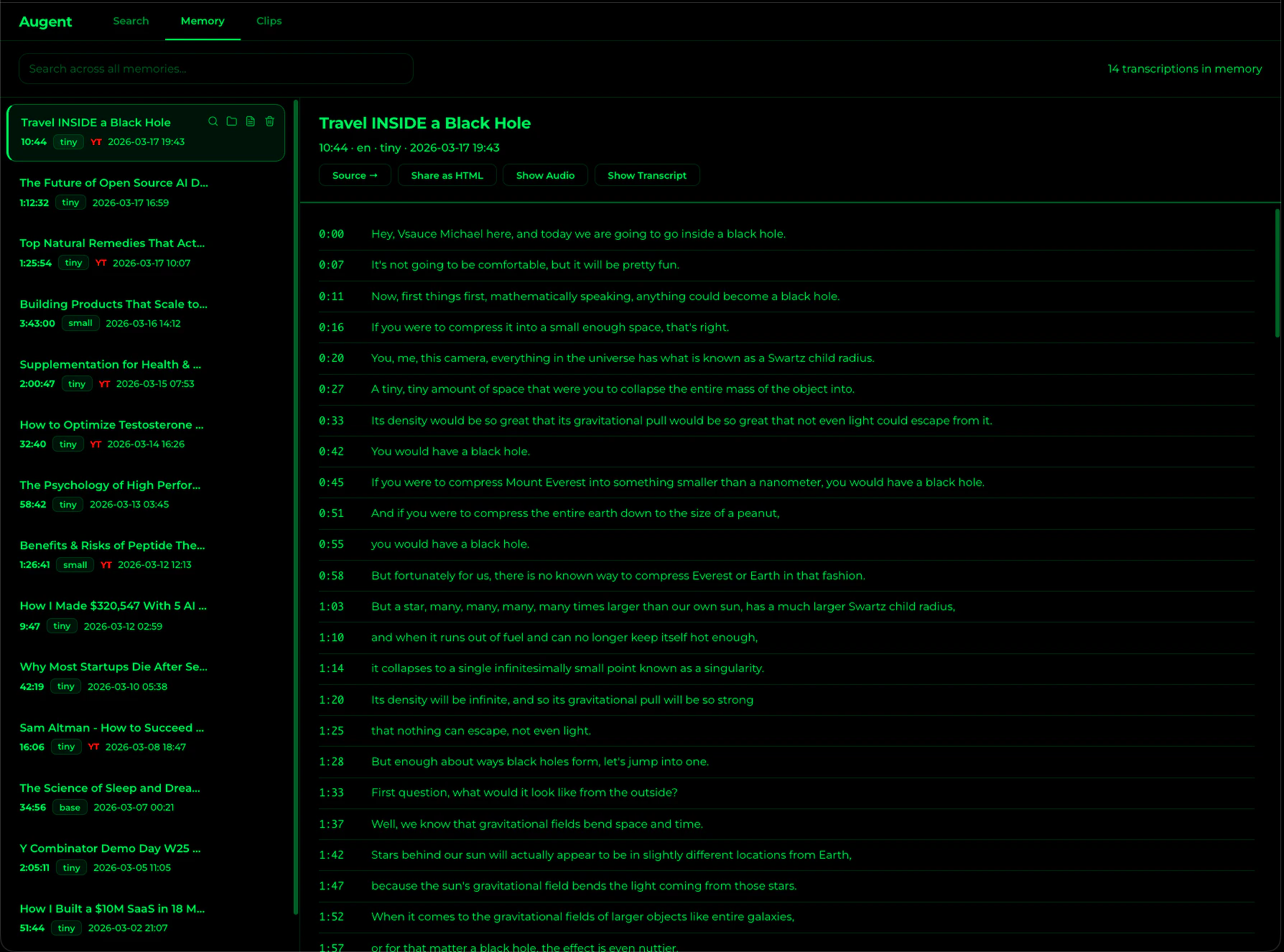
search_memory
Search across ALL stored transcriptions by keyword or meaning. No audio_path needed.
list_memories
Browse all stored transcriptions with titles, durations, and dates.
memory_stats
See total entries, hours of audio stored, and disk usage.
clear_memory
Wipe all stored data: transcriptions, embeddings, and diarization.
Storage details
All data lives under~/.augent/memory/:
download_audio uses yt-dlp (with the format %(title)s [%(id)s].%(ext)s), downloaded videos are automatically named by their video title and ID, so your memory is browsable by content name and filename collisions are prevented.