Extract a precise segment from any video URL. Only the requested time range is downloaded — no full video download required. Perfect for pulling clips around keyword matches, interesting moments, or specific timestamps. Supports YouTube, Instagram, TikTok, Twitter/X, and 1000+ sites via yt-dlp.

Example

Request:
{
  "url": "https://youtube.com/watch?v=xxx",
  "start": 120,
  "end": 180
}
Response:
{
  "file_path": "/Users/you/Desktop/xxx_120-180.mp4",
  "duration": 60,
  "start": 120,
  "end": 180,
  "url": "https://youtube.com/watch?v=xxx"
}

Example: Custom output

{
  "url": "https://www.instagram.com/reel/abc123/",
  "start": 0,
  "end": 30,
  "output_dir": "~/Videos/clips",
  "output_filename": "intro_clip"
}

Parameters

ParameterRequiredDefaultDescription
urlYesVideo URL (YouTube, Instagram, TikTok, Twitter/X, etc.)
startYesStart time in seconds
endYesEnd time in seconds
output_dirNo~/DesktopDirectory to save the clip
output_filenameNoauto-generatedFilename for the clip (without extension)

Adjusting padding

When exporting clips around keyword matches, the default padding is 15 seconds before and after the keyword timestamp. If the clip feels too short or too long, just ask for different padding — for example, “give me 30 seconds before and 10 seconds after.” Claude will re-export the clip with your exact timing, and the previous clip is automatically overwritten — no manual cleanup needed.

Web UI

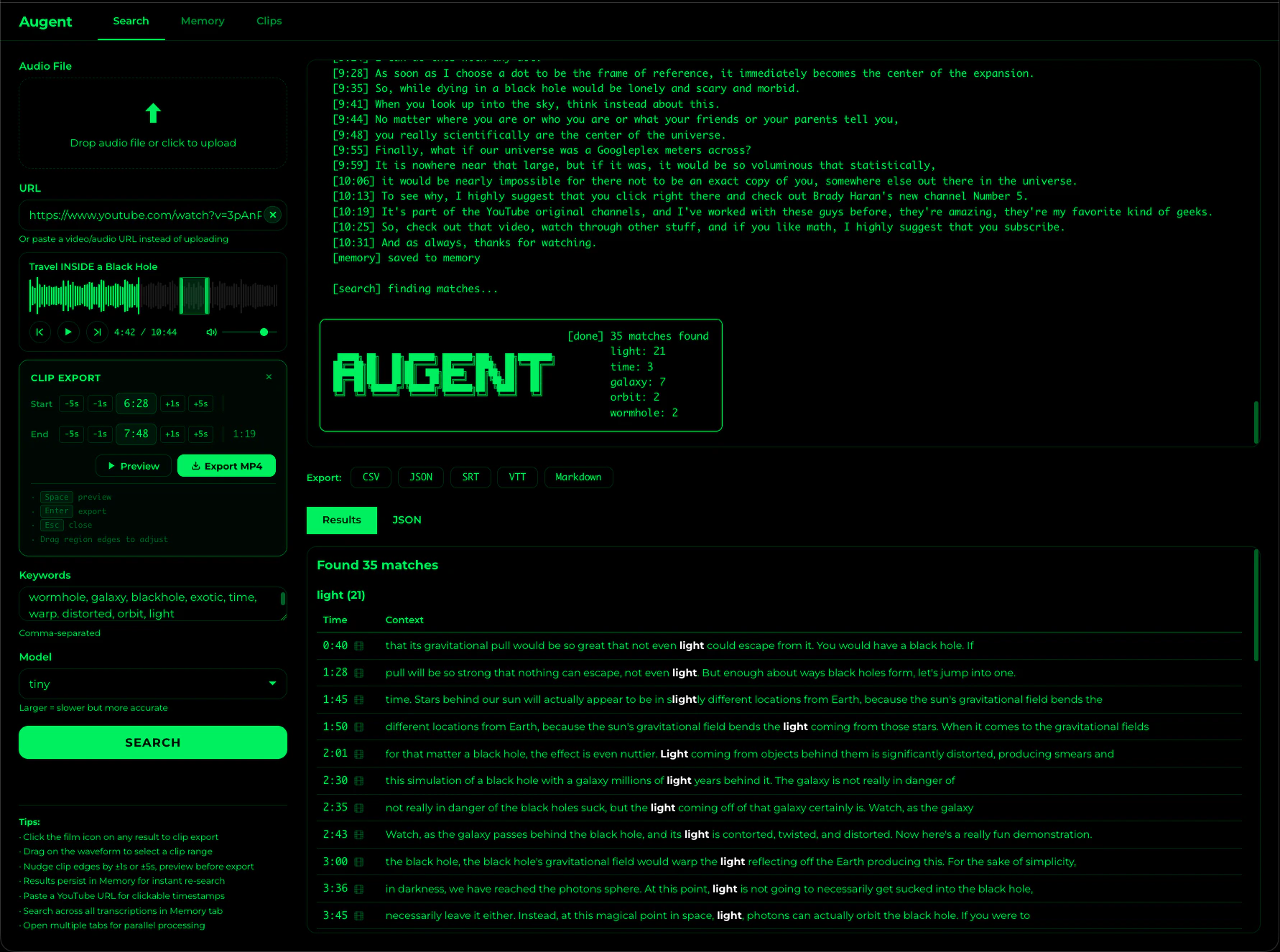
Clip export is also available visually in the Web UI. Click the film icon on any search result to create a region on the waveform, fine-tune with ±1s/±5s nudge buttons, preview the selection, and export — all without leaving the browser. Clip export in the Web UI

Notes

Only the requested segment is downloaded. A 60-second clip from a 3-hour video downloads in seconds, not hours.
Works with any URL that yt-dlp supports — YouTube, Instagram Reels, TikTok, Twitter/X videos, and 1000+ other sites.
Combine with search_audio or deep_search to find timestamps first, then extract clips around matches.
Re-exporting a clip with the same filename automatically overwrites the previous file.
The output format depends on the source. YouTube typically produces .mp4.